Why Some Businesses Still Need Desktop Software in 2026
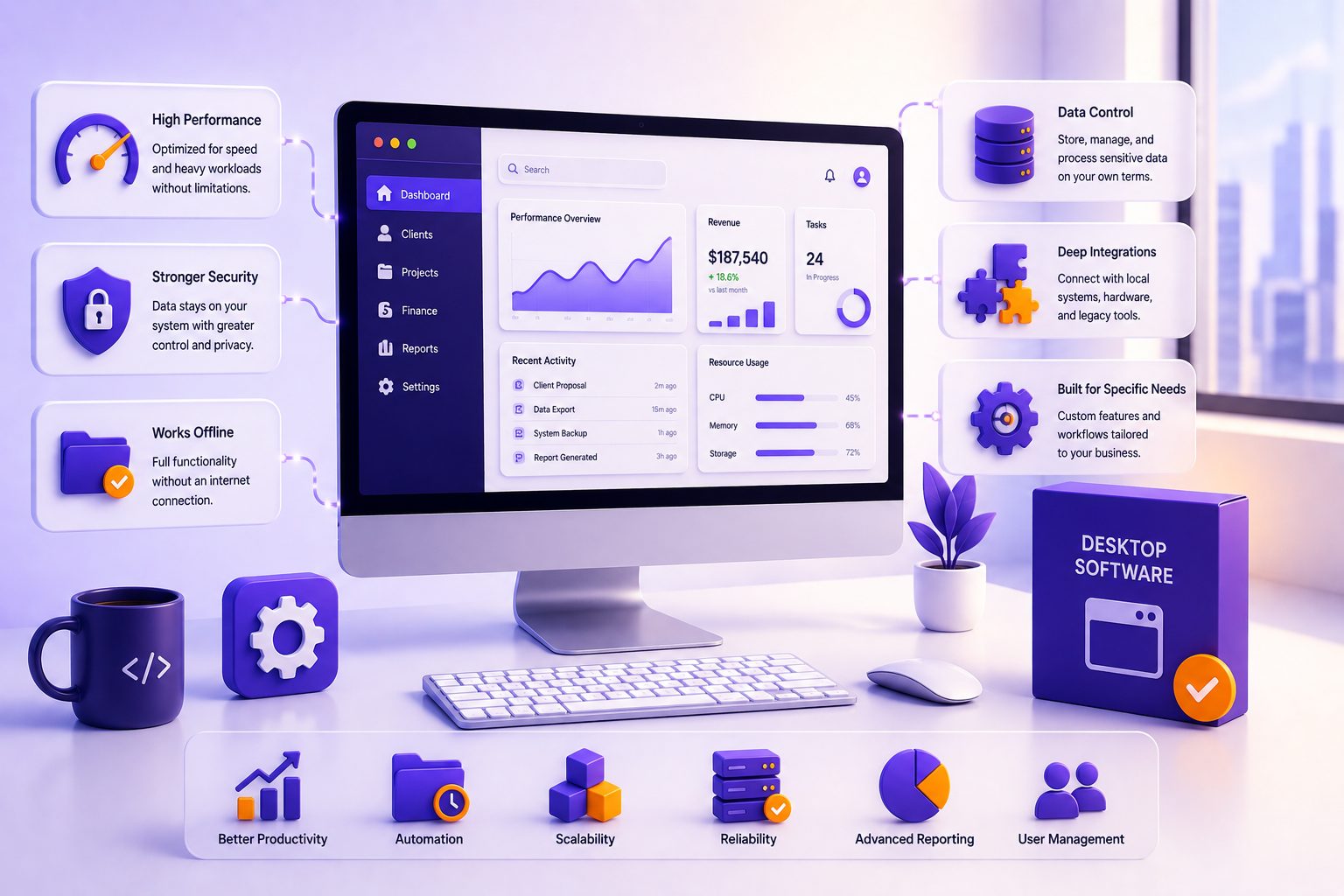
In a world that runs on the cloud, where nearly everything happens in a browser tab, it is easy to assume desktop software is a relic of an earlier era. Everything is online now, so why would any business still build an application that installs on a computer?
Here is the twist. The tools professionals rely on most every single day, VS Code, Slack, Figma, Photoshop, Discord, and Zoom, are all desktop applications. The category did not die. It quietly evolved, and in 2026 it is more relevant than many people realize. Desktop application development is far from a legacy niche; it is a deliberate, often superior choice for specific kinds of work.
This article looks at why desktop software still matters, which businesses genuinely need it, and how modern desktop apps are actually built. If you have been told that desktop is dead, what follows will give you a clearer, more accurate picture, and help you decide whether a desktop application is the right call for your own business
What Desktop Application Development Actually Means Today
Let us define it properly, because the modern reality is not what many people picture.
Desktop application development is the process of building software that runs directly on a computer's operating system, whether that is Windows, macOS, or Linux, rather than inside a web browser. These applications are installed locally on the machine and can work with or without an internet connection. Familiar examples span every category, from Microsoft Office and Adobe Photoshop to VLC Media Player and the developer tools mentioned above.
The important modern point is that "desktop" no longer means old-fashioned. Many of today's desktop apps are built with the same web technologies that power websites, then wrapped in a native shell using frameworks like Electron or Tauri. So a sleek, modern app like Slack is technically a desktop application, even though it feels nothing like the clunky installed software of the past.
What sets desktop apps apart is their direct line to the machine. They can access system resources such as files, hardware, and background processes without going through a browser or a network intermediary. That direct access is the root of nearly every advantage desktop software offers, and it is why certain tasks still belong on the desktop.
The "Desktop Is Dead" Myth, and Why It's Wrong
It is worth addressing the myth directly, because it drives a lot of poor decisions.
You can see why people believe it. The rise of cloud computing, the SaaS explosion, the shift to remote work, and progressive web apps blurring the line between browser and native software have all pushed attention toward the web. For many everyday tools, the browser genuinely is the better home.
But "better for some things" is not the same as "better for everything." Industry research suggests a large share of developers still actively prioritise desktop development, precisely because of its reliability and efficiency with complex tasks. And the evidence is on your own screen: the most-used professional and creative tools of the last decade are desktop applications, not websites. They earned that position by doing things a browser simply cannot do as well.
The real lesson is that desktop did not lose to web. The two serve different jobs. Asking "desktop or web?" in the abstract is the wrong question. The right question is which one fits the specific task in front of you. Once you frame it that way, the choice becomes much clearer, and for a meaningful set of business needs, desktop still comes out ahead.
The Real Advantages of Desktop Software
So what exactly does desktop do better? Several things, and each one maps to a real business scenario.
Performance and speed. Because desktop apps tap directly into the computer's full resources, its CPU, GPU, and memory, they handle demanding work that web apps struggle with. Video editing, 3D modelling, large-scale data processing, and complex simulations all run faster and more smoothly on the desktop. When raw power matters, this is decisive.
Offline functionality. A desktop app keeps working when the internet does not. For teams in remote locations, factory floors, aircraft, or anywhere with unreliable connectivity, that reliability is not a nice-to-have, it is essential. It also protects productivity from the cost of downtime, which is a real and expensive problem for businesses that depend on always-on web tools.
Security and data control. Because desktop apps can store data locally and rely less on constant internet transmission, they present a smaller online attack surface and give businesses tighter control over sensitive information. For regulated industries and confidential work, keeping data on the machine rather than a remote server is a genuine advantage.
Deep hardware integration. Desktop software can connect directly to peripherals, sensors, and specialised equipment, from medical devices to manufacturing hardware to high-end input tools. This kind of integration is difficult or impossible to achieve through a browser.
Rich, comprehensive features. Freed from browser constraints, desktop apps can offer deeper, more specialised functionality. This is why professional creative and engineering software, with its dense toolsets, lives on the desktop.
Customisation and control. Power users get more flexibility over the interface, settings, and behaviour, letting them tailor the software to exacting workflows.
If your business depends on any of these, desktop application development is worth serious consideration rather than defaulting to the web out of habit.
Which Businesses and Industries Still Rely on Desktop Software
The advantages above are not abstract. Whole industries depend on desktop software precisely because of them.
Engineering and architecture. CAD, simulation, and modelling tools demand heavy computation and precision that only local processing power can deliver reliably.
Creative and media. Video editing, graphic design, and audio production, the world of Adobe Premiere, Photoshop, and their peers, need the performance and comprehensive feature sets that desktop provides.
Finance and trading. Low-latency, high-compute, security-sensitive trading and analysis tools benefit from desktop's speed and local data control, where even small delays carry real cost.
Healthcare and life sciences. Software connected to laboratory and diagnostic equipment, often bound by strict compliance standards, frequently runs as desktop applications for reliability and hardware integration.
Manufacturing and industrial. Control systems and plant-floor tools often operate in offline or restricted environments where a browser-based app would be impractical.
Gaming and high-performance software. Serious games and performance-intensive applications rely on desktop platforms for graphics, processing power, and hardware compatibility.
Data-intensive enterprise tools. Applications that work with large local datasets or need heavy analytics with tight security often perform best as desktop software.
The common thread runs through all of them: a need for performance, offline reliability, security, or hardware access. Whenever one of those sits at the heart of the work, desktop tends to be the answer.
Desktop vs Web vs Cloud: An Honest Comparison
None of this means desktop is always the right choice. A fair comparison helps you see where each approach genuinely wins.
| Factor | Desktop | Web / Cloud |
| Performance | Highest, uses full system resources | Limited by browser and connection |
| Offline access | Full, works without internet | Limited or none |
| Installation | Installed per device | None, runs in a browser |
| Cross-platform reach | Needs builds per OS (or cross-platform framework) | Runs on any device with a browser |
| Updates | Often manual (or auto-update pipelines) | Instant and centralised |
| Security model | Local data, smaller online exposure | Convenient but internet-exposed |
| Scalability | Tied to the device | Scales easily in the cloud |
| Cost pattern | Higher upfront, lower ongoing | Lower upfront, ongoing hosting |
The takeaways are balanced. Web and cloud apps win on accessibility, effortless updates, and reaching users on any device, which is why collaboration tools and everyday business software increasingly live there. Desktop wins on performance, offline reliability, and hardware access, which is why demanding professional software stays put. And crucially, the two are not mutually exclusive. Many modern products blend them, an idea we will come to shortly. If your needs lean toward broad access and easy deployment, web app development may serve you better, and a good partner will tell you so honestly rather than pushing one approach for its own sake.
How Modern Desktop Apps Are Built
If you picture desktop development as slow and outdated, the modern toolset will surprise you. Today there are two broad routes.
Native development builds separately for each operating system using platform-specific tools, delivering the absolute best performance. It suits software where every ounce of speed counts.
Cross-platform development uses a single codebase to target Windows, macOS, and Linux at once, cutting cost and time by reusing code, much like cross-platform mobile development does.
The leading frameworks each have a clear sweet spot:
- Electron builds desktop apps with web technologies (HTML, CSS, JavaScript) and powers VS Code, Slack, and Discord. It is fast to develop with and cross-platform, though its apps carry a larger footprint.
- Tauri offers a similar web-frontend approach using a Rust backend and the system's native webview, producing dramatically smaller, lighter apps.
- Qt is mature and compiles to native code, making it the go-to for performance-critical and professional software across engineering and creative fields.
- .NET MAUI and WPF are Microsoft's frameworks, a natural fit for enterprise software built on the Microsoft stack.
- Flutter Desktop shares one codebase across desktop, web, and mobile, ideal for custom interfaces and broad reach.
Common languages span C++, C#, Python, JavaScript, Swift, and Rust, chosen to match the framework and performance needs. Whether native or cross-platform, this is really a question of solid custom software and app development, where the framework is chosen around your platforms, performance targets, and budget. You can also explore Microsoft's guidance on building desktop apps and the Electron framework for desktop apps to see how modern tooling has moved on.
Cloud-Connected Desktop: The Best of Both Worlds
Here is where the old either/or thinking breaks down entirely. The modern answer is often both.
Cloud-connected desktop apps combine the strengths of each world. They keep the local performance and offline capability of desktop software, then add real-time data synchronisation, file sharing, and collaboration through the cloud. Dropbox and OneDrive are everyday examples, and a growing number of professional tools now sync work to the cloud while doing the heavy lifting on your machine. You get desktop power plus cloud convenience, without having to choose.
This hybrid model is where a lot of the innovation is happening. Artificial intelligence is increasingly built directly into desktop software too, with on-device processing powering intelligent features that run fast and keep data local. Far from fading away, desktop is absorbing the best of the cloud and AI era. That is exactly why the "desktop is dead" narrative keeps being proven wrong: the platform keeps evolving to stay essential.
How to Decide If Your Business Needs a Desktop App
So how do you know if a desktop application is right for you? Work through a few honest questions.
- Do your users need to work offline or in places with unreliable connectivity?
- Does the software require heavy performance, such as large files, GPU power, or intensive processing?
- Does it need deep access to hardware, peripherals, or specialised equipment?
- Is data security or keeping information stored locally a genuine priority?
- Do power users need extensive customisation and complex, specialised features?
- Or do your users mainly need access from any device with automatic updates and no installation?
If several of your answers point toward performance, offline use, security, or hardware access, a desktop application is likely the right choice. If they lean toward broad accessibility and easy updates, web is probably the better fit. Often the strongest solution is a combination: a powerful desktop app paired with a mobile app or web companion so users get the right tool in every context.
If you would like help making that call for your specific situation, talk to our team about your project and we will help you weigh the trade-offs and choose the approach that actually serves your goals.
Conclusion
Desktop software is not a relic. It is a deliberate choice that still wins decisively for performance, offline reliability, security, and hardware access, which is why so many of the tools professionals depend on remain desktop applications in 2026. The smart question was never desktop versus web in the abstract. It is which tool fits the job, and for a meaningful set of business needs, the answer is still desktop, sometimes on its own and increasingly paired with the cloud.
Modern desktop development is efficient, cross-platform, and cloud-connected, a world away from the outdated image many people carry. If your business handles demanding, offline, secure, or hardware-driven work, a desktop application may be exactly what you need. To explore whether it is the right path for you, talk to our team about your project and we will help you turn the idea into a clear plan.
Frequently Asked Questions
External references used in this article: - Microsoft's guidance on building desktop apps (Microsoft Learn) - The Electron framework for desktop apps (Electron) - Developer technology usage data (Statista)
Related Blog

Healthcare Software Development: What Compliance Actually Requires
A founder says, "We just need to make it HIPAA compliant", as if compliance were a plugin you install before launch. Then the first…

The Software Development RFP Template That Gets Useful Proposals (Free Download)
A good software development RFP contains nine things: company and project background, a problem statement separated from any assumed solution, clear scope boundaries, real…
0 Comments
Please log in to post a comment