UI/UX Design Process: What Actually Happens Between Brief and Build
A founder sends a design brief on Monday and expects polished screens by Friday. Then the first call arrives, and the designer asks about goals, users, and what success looks like. That is not stalling. It is the real start of the work.
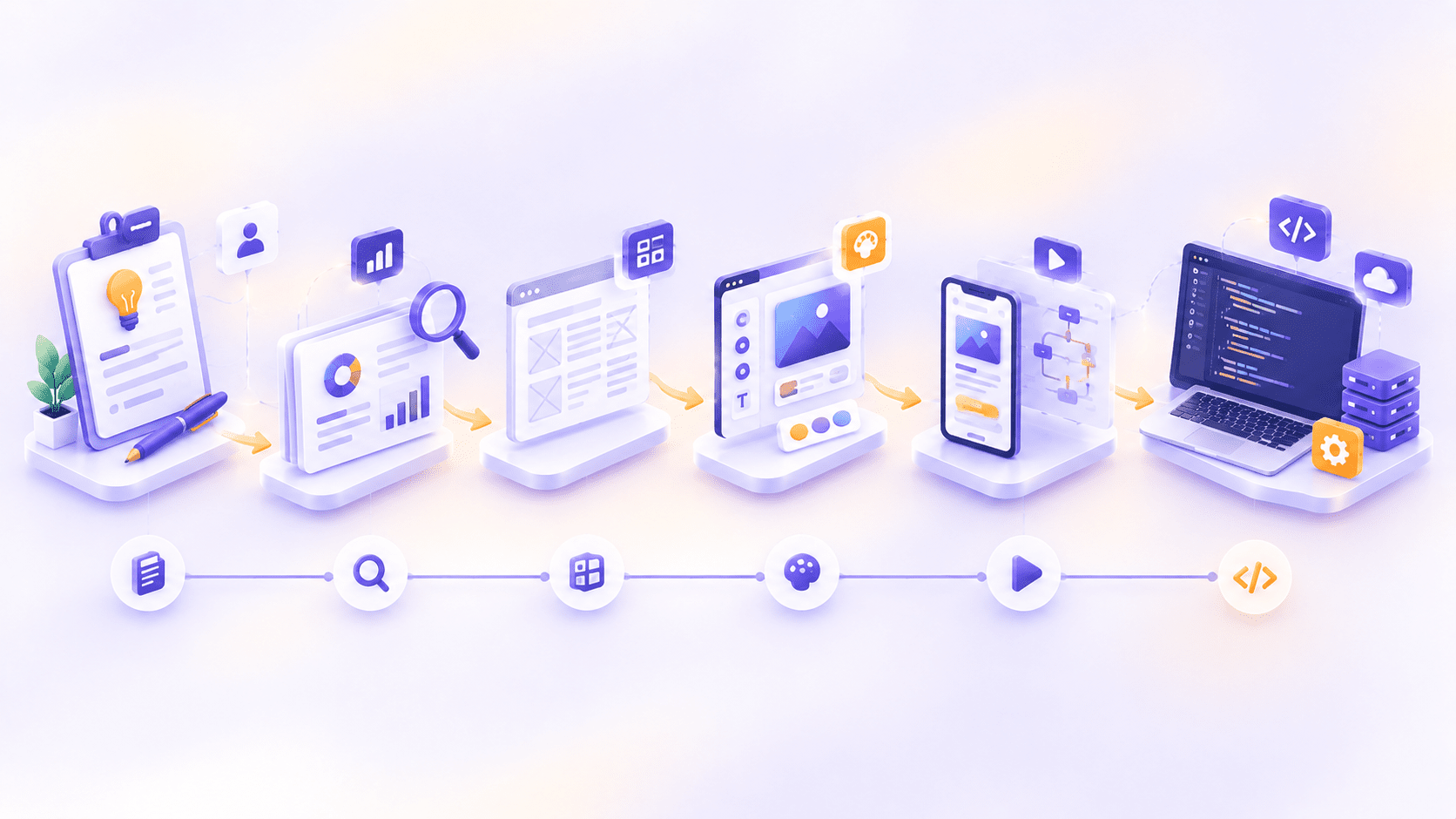
The UI/UX design process is the sequence of steps that turns a brief into screens developers can build: discovery, research, problem definition, structure, wireframes and prototypes, testing, visual design, and handover. It loops back on itself as feedback arrives.
Here are the eight phases at a glance:
- Discovery and brief
- Research and audit
- Define the problem
- Architecture and flows
- Wireframes and prototypes
- Usability testing
- Visual design and design system
- Handover and build support
Below, you will see what happens in each phase, what you receive, how long it usually takes, and what to bring so the project keeps moving.
What Is the UI/UX Design Process?
The UI/UX design process is a structured workflow for creating digital products that people can understand, use, and enjoy. It combines user research, problem definition, interface structure, visual design, testing, and collaboration with developers, and it repeats as the team learns.
The two halves are easy to mix up. UX, short for user experience, is how a product works: the structure, the flow, and whether someone can finish what they came to do. UI, short for user interface, is the visual layer: layout, color, typography, and components. Don Norman is widely credited with coining the term "user experience" at Apple in the early 1990s, and the field has grown far beyond screens since.
| Aspect | UX design | UI design |
|---|---|---|
| Main question | Does it work for people? | Does it look and feel right? |
| Typical outputs | Research, flows, wireframes | Visual screens, components |
| Leads in phases | 1 to 6 | 6 to 8 |
UX decisions usually come first and shape what the interface needs to show. UI decisions then make that structure clear, consistent, and on brand, which is why the two blend in the middle of a project. In practice, one team often does both, so this guide treats them as a single process.
Why Does the UX Design Process Matter Before Development Starts?
Because changing a prototype takes minutes, while changing built software takes weeks. Every question you settle on a screen is a question developers do not have to answer in code.
Skipping the early phases usually shows up later as rework, longer builds, and support tickets. When customers keep asking the same question, that is typically a design problem that people are paying to solve by hand.
Checkout is the classic example. The Baymard Institute, which has studied checkout usability for years, averaged 49 studies and found that roughly 70% of online shopping carts are abandoned. Plenty of those exits are simply shoppers who were not ready to buy. Even so, Baymard estimates that better checkout design alone could lift conversion by about 35% for the average large ecommerce site.
There is also a team benefit. A shared prototype gives designers, developers, and business owners something concrete to react to, so disagreements surface early, when they are cheap to settle.
Picture a signup form with one confusing step. In a wireframe test, you find it in an afternoon and fix it by redrawing a box. After launch, you find it in your drop-off numbers, then pay for a design change, a development change, a release, and the signups you lost while waiting.
If you are unsure whether your product needs a redesign at all, auditing what exists is the smartest first move. It shows where users truly struggle before you commit to a budget.
How Many Steps Are you in the UX design process?
It depends on who is counting. The work is the same, and each guide just groups it differently. Design thinking uses five phases. The Design Council's Double Diamond, introduced in 2004, uses four. Online guides range from six to nine.
| Framework | Phases | What they are |
|---|---|---|
| Design thinking | 5 | Empathize, define, ideate, prototype, test |
| Double Diamond | 4 | Discover, define, develop, deliver |
| Common online guides | 6 to 9 | Research through launch, split into finer steps |
| This guide | 8 | Discovery, research, definition, architecture and flows, wireframes and prototypes, testing, visual design, handover |
If you want the original source, read the Design Council's Double Diamond framework. It describes two diamonds: the first is about understanding the right problem, and the second is about building the right solution.
Real projects also double back. A test result in phase six can send you to phase four, or even phase two. Treat the order as a guide to where the team's focus sits, not a one-way road.
The UI/UX Design Process, Phase by Phase
For each phase, you will see what happens, what you receive, what we need from you, and where it tends to stall. The phases overlap and loop, so do not expect clean handoffs between them. A good team keeps earlier findings in view as the work moves forward, and it is fine to revisit a decision when new evidence appears.
Phase 1: Discovery and Brief
What happens: The team runs a kickoff workshop and interviews stakeholders about business goals, users, and constraints such as budget, timeline, technology, and compliance. Most importantly, you agree on what success means before any design starts. That could be completion rate, drop-off at a specific step, support ticket volume, or time to finish a task. Design without a measure is decoration. A booking app, for example, might aim to cut the time it takes to complete a reservation, rather than aiming for a nicer booking flow. Stakeholders also surface hidden constraints here, such as a legacy system that cannot change or a regulation that limits what data you may collect.
You receive: a project brief, success metrics, scope boundaries, a stakeholder map, and a short risk list.
What we need from you: access to analytics and support tickets, plus the people who make decisions.
Where it stalls: vague goals. "Make it feel modern" gives a designer nothing to test against, so everyone ends up judging the result by taste instead of evidence.
Phase 2: Research and Audit
What happens: Designers talk to real users, run short surveys, and dig through analytics, session recordings, and support tickets. They also review competitors. When a product already exists, they audit it first. A usability review often turns up two or three genuine problems, which is far cheaper than a redesign built on guesses.
Support tickets are especially valuable. Each repeated question points to a spot where the interface failed to explain itself, and the words customers use tell you which labels to write. Analytics shows what people do, while interviews explain why, and you need both.
Scale the research to your budget. Even a handful of interviews beats none, because real user input replaces opinions with evidence.
You receive: a research summary and a prioritized list of audit findings.
What we need from you: introductions to real customers, not just internal teams.
Where it stalls: recruiting the right participants, or relying only on what the team already believes.
Phase 3: Define the Problem and the Requirements
What happens: Research turns into decisions. The team groups interview notes into themes, builds personas and journey maps, and writes clear problem statements, often as "how might we" questions. Then comes the hard part: ranking requirements into must-have, should-have, and later.
A good problem statement is specific enough to test. Compare "users find checkout hard" with "first-time buyers abandon at the shipping step because the cost appears too late". The second one tells designers exactly where to look.
You receive: personas, a journey map, a prioritized requirements list, and a one-page problem statement.
What we need from you: a willingness to cut. Not everything can be a priority.
Where it stalls: a long wish list with no ranking, which pushes every hard choice into the build, where it costs the most.
Phase 4: Information Architecture and User Flows
What happens: Designers organize content and features so people find things where they expect them. They map a sitemap, a navigation model, and the step-by-step paths users take to finish key tasks. Card sorting and tree testing can check whether your labels make sense to real people. Most navigation problems turn out to be structure problems, so this gets agreed before any visual work begins.
Think of the sitemap as the table of contents for your product and the user flow as the route a person takes through it. If a key task needs too many steps, or people must remember where something lives, the structure needs another pass.
You receive: a sitemap, user flows, and a list of edge cases.
Where it stalls: jumping to visuals while the structure is still being debated. Pretty screens cannot fix a confusing map.
Phase 5: Wireframes and Prototypes
What happens: Designers sketch low-fidelity wireframes, which are plain layouts with no color or polish, to settle structure and priorities. Then they link screens into a clickable prototype in a tool such as Figma, so people can try the flow instead of imagining it.
The idea behind fidelity is simple. Start rough to test the structure, then add detail to test the behavior. Because prototypes are cheap to change, you can explore two or three directions without committing the budget to any of them.
Many teams also add realistic content at this stage, even in rough form. Headlines, button labels, and error messages shape how a layout works, so testing a flow with placeholder text can hide problems that real wording would expose.
You receive: a wireframe set and a clickable prototype.
What we need from you: fast, consolidated feedback from one decision maker.
Where it stalls: stakeholders critiquing colors and fonts too early. Wireframes are deliberately plain, so keep the conversation on layout, flow, and content priority.
Phase 6: Usability Testing and Iteration
What happens: Real users attempt real tasks on the prototype while the team watches where they hesitate, misread, or give up. Nielsen Norman Group's guide to usability testing describes the method well: observe people, do not just ask for opinions. Sessions can be moderated, where a researcher guides and asks follow-ups, or unmoderated, where participants work alone and the sessions are recorded. They can run in person or remotely.
Small rounds work. NN/G's long-standing guidance is that around five participants from a similar audience reveal most major problems in a qualitative test, so test, fix, and test again. Track task success rate, time on task, and errors.
Testing is also where the team learns what not to build. If a feature that seemed essential in workshops goes unnoticed in sessions, you have saved the cost of developing it. That is a good result, even if it feels like bad news.
You receive: a test report with fixes ranked by severity, and an updated prototype.
Where it stalls: testing once, late, and treating it as a formality.
Phase 7: Visual Design and Design System
What happens: Now the product gets its look: color, typography, spacing, icons, and components, applied to real content rather than perfect placeholder text. Designers also specify the states people forget, including loading, empty, error, and very long content. These unglamorous screens separate a design that survives real use from one that does not.
Accessibility belongs here too. That means sufficient color contrast, readable text, keyboard navigation, and screen reader support, checked against the Web Content Accessibility Guidelines (WCAG).
A design system does not need to be huge. Even a small set of buttons, form fields, spacing rules, and color tokens keeps screens consistent and lets developers reuse components instead of rebuilding them.
You receive: high-fidelity screens and, where the product justifies one, a design system of reusable components and rules.
Where it stalls: a beautiful design that ignores how it will be built, which leads to compromises and arguments later.
Phase 8: Handover and Build Support
What happens: Designers hand over organized, build-ready files with component specs, annotated interactions, and acceptance criteria, then walk the developers through them in a working session. This is where many projects lose quality, because a mockup rarely describes every behavior.
Design does not end at handover. Reviewing the build against the design, often called design QA, closes the gap between what was drawn and what shipped. It is also why designing and building under one roof removes the handover gap entirely, whether the product is a web app or a mobile app. After launch, measure against the Phase 1 metrics and iterate.
Good handover files name every state, list the spacing and type rules, and explain how interactions should behave. When a developer can answer a question from the file instead of a message thread, the build moves faster.
You receive: organized design files, specs, a handover session, and design QA notes.
Where it stalls: designers disappearing before the build begins.
How Long Does Each Phase of the UX Design Process Take?
A focused project often takes a few weeks, while a full product design can take a few months. Screen count, research depth, and how quickly feedback arrives drive most of the difference. The ranges below are typical for a focused project and will vary.
| Phase | Typical duration | Your involvement | Main output |
|---|---|---|---|
| Discovery and brief | 2 to 5 days | High | Brief, success metrics |
| Research and audit | 1 to 2 weeks | Medium | Findings summary |
| Define | 2 to 4 days | Medium | Personas, requirements |
| Architecture and flows | 3 to 5 days | Medium | Sitemap, user flows |
| Wireframes and prototypes | 1 to 2 weeks | High | Clickable prototype |
| Usability testing | 1 to 2 weeks | Low to medium | Test report |
| Visual design and system | 2 to 4 weeks | High | Final screens, UI kit |
| Handover and build support | 2 to 3 days, then ongoing | Medium | Specs, design QA |
Four things stretch a timeline: more screens and flows, more stakeholders, deeper research, and slow feedback rounds. The last one is the easiest to control.
Where Do UX Projects Stall, and How Do You Prevent It?
Most delays trace back to five habits.
- Skipping discovery. The team builds the wrong thing very well. Fix it by writing down the goal and the metric first.
- Designing without engineering. The build fills with compromises. Fix it by involving developers early, so someone knows what the framework handles well and what hurts performance.
- Too many voices. Conflicting feedback stalls every review. Fix it by naming one decision maker.
- Forgetting states and edge cases. The product feels unfinished the moment real data arrives. Fix it by designing empty, error, and loading states up front.
- Treating launch as the finish line. Nobody measures the result. Fix it by reviewing your Phase 1 metrics a few weeks after release.
One more point: a full redesign is not always the answer. If users struggle at one specific step, a targeted fix is usually faster and cheaper than a rebuild. Redesigns make sense when the audit shows problems that run through the whole product.
What Should You Bring to a Design Kickoff?
Teams that arrive prepared save days. Bring this list:
- The goal, and how you will measure it
- Analytics access and recent support tickets
- Brand assets and any existing design system
- Competitor or inspiration examples, and what you like about each
- Technical constraints and required integrations
- A budget range and target launch window
- One named decision maker who has real time to give
Share what you already know, even if it feels messy, because rough notes still save the team from rediscovering them. You do not need everything on day one. But the more of this you have, the less the discovery phase has to guess.
How Is AI Changing the UX Design Process in 2026?
AI is useful in a few places. It can summarize interview transcripts, cluster feedback into themes, draft early copy, and speed up first-pass prototypes. Those savings are real, and they free up time for the work that matters.
What it does not replace is talking to real users, judging whether an interface feels trustworthy, and deciding what to prioritize. A model can organize what people said. It cannot sit in the room and notice that someone hesitated.
AI has also created a new design problem. Products with AI features need clear expectations, graceful error states, and an easy way for people to correct the system. That is interaction design for a tool that can be confidently wrong, so the usual phases still apply, with extra attention on testing.
Conclusion
The UI/UX design process is a loop that protects your build budget. Each phase answers a question cheaply, before development makes it expensive, and each one leaves you with a clear record of why the product works the way it does.
Here is one practical step to take today: write down the single metric you want this project to move, before you brief any designer. Everything else in the process gets easier once you have it.
If you want a team that designs and builds, explore the UI/UX design services at Raydiant Webs. We would be glad to look at where your users struggle and suggest the right place to start.
Frequently Asked Questions
Related Blog
What Is a UX Audit? Cost, Process, and What You Get Back
A UX audit is a structured review of your website or app that identifies where real users are struggling, confused, or dropping off, before…
0 Comments
Please log in to post a comment