AI Automation for Small Business: 12 Processes Worth Automating First
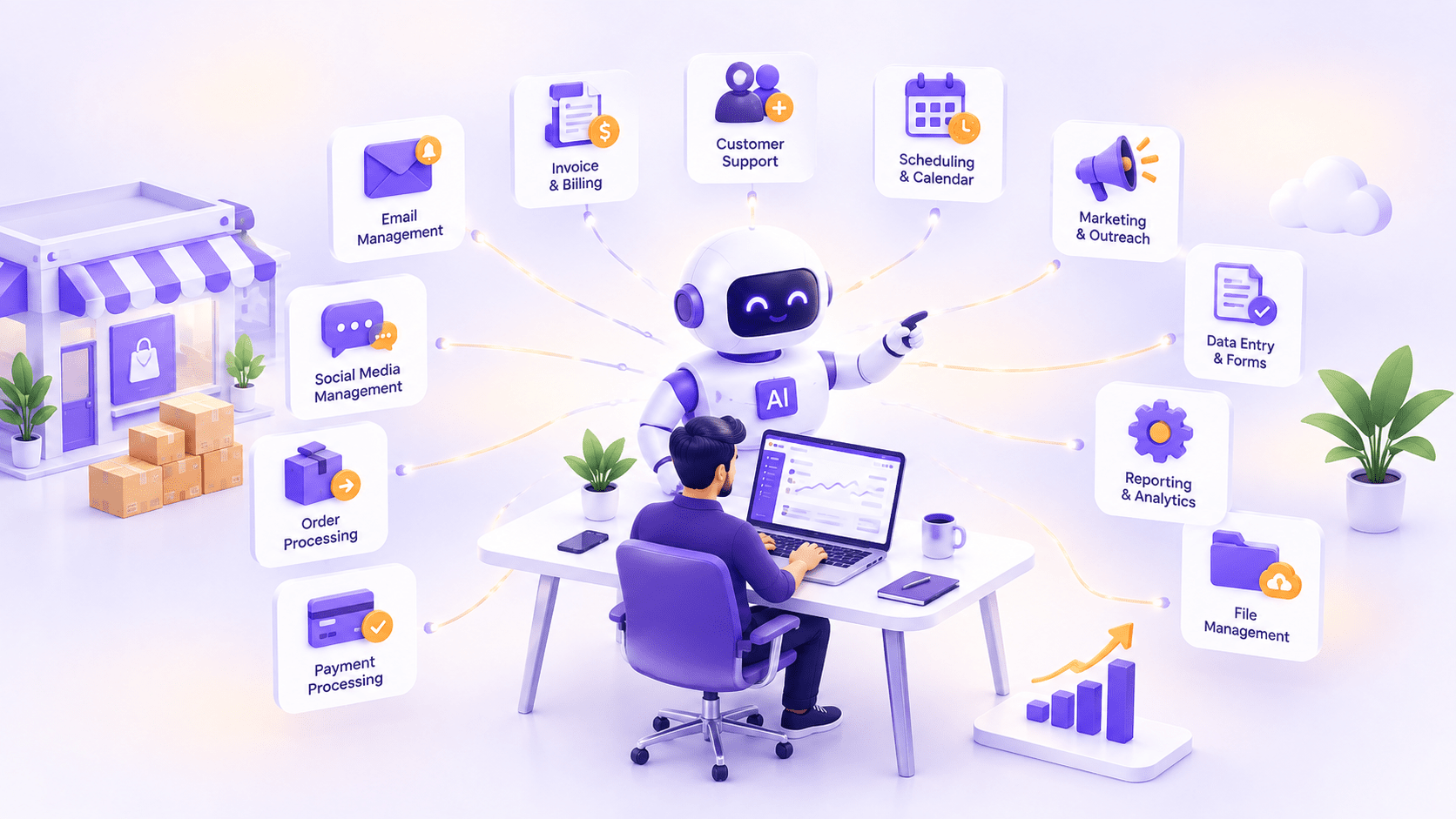
The highest-ROI processes to automate first are the ones that are repetitive, high-volume, and rule-based enough that a human doing them mostly follows a pattern rather than exercising judgment. For most small businesses, that shortlist runs to customer inquiry triage, invoice processing, appointment scheduling, document drafting, lead qualification, review monitoring, inventory alerts, onboarding paperwork, reporting, email personalization, meeting notes, and basic bookkeeping categorization. None of these require a large budget or an in-house engineering team to get started, and most can be automated with existing tools before a custom build is ever worth considering.
This guide walks through all 12, a simple framework for deciding which to tackle first, what tools versus custom automation actually cost, and the mistakes that trip up small businesses trying to move too fast.
How to Decide What to Automate First (ROI Framework)
Not every repetitive task is worth automating first, and the businesses that get the best return tend to score candidates against three questions rather than automating whatever feels most annoying that week.
First, how much time does this actually consume across the team each week, not per instance? A task that takes five minutes but happens 200 times a week adds up faster than an hour-long task that happens twice. Second, how rule-based is it? Tasks with a clear, describable pattern, "if this, then that", automate cleanly. Tasks that require genuine judgment calls, unique to each situation, tend to automate poorly and frustrate both the business and its customers when forced into a rigid workflow. Third, what is the cost of a mistake? A miscategorized expense is a minor annoyance to fix. A wrong answer sent to a customer, or a missed compliance step, carries real cost, and processes with higher error costs need more human oversight built into the automation, not less automation altogether.
Score your candidate processes against these three factors, then start with whichever combination of high time cost, high rule-based clarity, and manageable error cost. That combination is usually where the fastest, safest return sits.
It helps to actually write this scoring out rather than relying on gut feel. List your five or six most repetitive processes, rate each on a simple low/medium/high scale for time consumed, pattern clarity, and error cost, and the highest-value starting point usually becomes obvious once it is on paper rather than sitting as a vague sense that "we should really automate something". This exercise alone, done honestly, prevents the common trap of automating whatever a vendor happens to be pitching that quarter rather than what your business actually needs most.
The 12 Processes Worth Automating First
1. Customer Inquiry Triage and First Response
Most small businesses receive a steady stream of similar customer questions, order status, hours, pricing, and return policy that consume staff time without needing a human's judgment. An AI-powered triage system can read incoming inquiries across email, chat, or social media, answer the common ones directly, and route anything genuinely complex to a person with the right context already attached. This is usually the single highest-ROI starting point, since it is high-volume, pattern-based, and directly frees up staff time for the interactions that actually need a human.
Start narrow. Handing the system your five most common inquiry types first, then expanding its scope as you confirm it handles each type well, builds trust with both your team and your customers faster than trying to cover every possible question on day one.
2. Invoice Processing and Data Entry
Manually keying in invoice line items, matching them against purchase orders, and routing them for approval is exactly the kind of rule-based, error-prone work AI tools now handle well. Modern invoice processing tools extract line items, amounts, and vendor details automatically, flag mismatches for review, and push clean data into your accounting system. The time savings are real, but the more valuable benefit is usually fewer costly data entry errors reaching your books in the first place, since a mismatched invoice caught weeks later during reconciliation costs far more staff time to untangle than one flagged automatically at the point of entry.
3. Appointment Scheduling and Reminders
Back-and-forth scheduling emails and no-shows both cost real money for service-based small businesses. AI scheduling assistants can handle the negotiation of a time slot automatically, sync with your existing calendar, and send reminders timed to actually reduce no-show rates rather than a single generic reminder the day before. This is one of the easiest processes to automate with an off-the-shelf tool, requiring almost no custom development.
4. Document Drafting and Summarization
Proposals, contracts, internal memos, and meeting summaries all follow recognizable structures that AI drafting tools handle well as a starting point. The realistic win here is not a finished document with zero human review; it is cutting the blank-page problem down to an edit-and-approve step, which for most businesses saves considerably more time than it might first appear, especially for staff who draft the same category of document repeatedly.
Feed the tool your best past examples of each document type rather than starting from a generic template. A drafting tool trained on your actual proposals or contracts produces output that needs far less editing than one working from a blank slate.
5. Lead Qualification and CRM Updates
Sorting genuinely promising leads from tire-kickers and then actually logging that assessment into your CRM is exactly the kind of task that gets skipped under time pressure and quietly costs a business real revenue. AI lead-scoring tools can review inbound leads against your defined criteria, flag the ones worth a sales call, and keep your CRM data current automatically, rather than depending on a busy team member to update it manually after every interaction. Over a few months, this consistency is often worth more than the time saved, since a CRM everyone actually trusts changes how the whole sales process runs.
6. Review Monitoring and Response Drafting
Monitoring reviews across Google, industry directories, and social platforms, then drafting a thoughtful response to each one, is valuable but easy to let slide when things get busy. AI monitoring tools can flag new reviews as they arrive and draft a response in your business's voice for a human to approve and send, which keeps response times fast without requiring someone to manually check five different platforms every day. Fast, consistent responses to negative reviews in particular tend to matter more to prospective customers reading them later than the original complaint itself.
7. Inventory and Reorder Alerts
For any business holding physical stock, AI-based inventory tools can track usage patterns, predict when an item will run low based on actual demand rather than a fixed reorder point, and trigger a reorder or an alert automatically. This reduces both the stockouts that lose sales and the excess inventory that ties up cash, and it scales far better than a manual spreadsheet review as your product catalog grows, particularly for businesses with seasonal demand swings that a fixed reorder threshold handles poorly.
8. Employee Onboarding Paperwork
New hire paperwork, account setup requests, and the repetitive administrative steps of onboarding are a natural fit for automation, since the process is largely identical for every new employee. An automated onboarding workflow can generate the right documents, route them for the right signatures, and trigger account creation requests without HR manually walking through the same checklist every time someone joins.
9. Reporting and KPI Dashboards
Pulling numbers from several systems into a weekly or monthly report is exactly the kind of task that eats hours without requiring real judgment once the format is defined. AI-connected reporting tools can pull data automatically from your existing systems and assemble a consistent dashboard or summary on a schedule, freeing whoever previously built that report manually to spend that time on actually acting on what the numbers show rather than assembling the numbers in the first place.
10. Email Marketing Personalization
Generic email blasts consistently underperform segmented, relevant ones, but manually personalizing content for different customer segments rarely happens at small business scale without help. AI tools can now generate and test personalized subject lines, content blocks, and send times based on how different customer segments have engaged in the past, meaningfully lifting open and click rates without adding to a small marketing team's workload.
11. Meeting Notes and Action Items
Someone on every team is quietly losing time to manual meeting notes, and action items scribbled in a notebook frequently never make it into an actual task tracker. AI meeting assistants can transcribe, summarize, and extract action items automatically, then push them into whatever project management tool your team already uses, which is a small change that compounds into real accountability over a few months.
12. Basic Bookkeeping Categorization
Categorizing transactions correctly and consistently is tedious, rule-based work that consumes real bookkeeping time every month. AI-powered bookkeeping tools can learn your business's categorization patterns and apply them automatically, flagging only genuinely ambiguous transactions for a human decision, which is usually a small minority of the total volume once the tool has learned your patterns.
What This Costs (Tools vs. Custom Automation)
Most of the 12 processes above can be automated with existing no-code or low-code tools before a custom build is ever worth considering, and it is worth being honest about when each path actually makes sense.
| Off-the-Shelf Tools | Custom Automation | |
| Typical cost | $20–$500 per month | $5,000–$50,000 one-time build |
| Setup time | Days to a few weeks | 4–12 weeks |
| Best for | Standard workflows with common app integrations | Unique processes, proprietary systems, complex approval logic |
| Ongoing maintenance | Included in subscription | Typically 15–20% of build cost per year |
Off-the-shelf tools handle a genuinely large share of these 12 processes well, particularly scheduling, basic email personalization, and meeting notes, where the workflow is common enough that a pre-built integration already exists. Custom automation earns its cost when a process is specific to how your business actually operates, spans systems that do not have a ready-made connector between them, or needs logic more nuanced than a standard tool's rules engine supports. Most small businesses are well served, starting with tools for the easy wins and reserving custom development for the one or two processes that are genuinely unique to how they operate.
A practical middle path many businesses miss: several no-code platforms now support enough custom logic, branching, conditionals, and calling external APIs that they cover a wider range of "unique" processes than their reputation suggests. It is worth genuinely testing whether a no-code tool can handle your specific requirement before assuming it needs a custom build, since the gap between what these platforms can do today and what they could do even two years ago has closed considerably.
Common Automation Mistakes Small Businesses Make
The most common mistake is automating a broken process instead of fixing it first. If your current invoice approval workflow is confusing and inconsistent, automating it usually just makes the confusion happen faster, not better. Fix the process, then automate the cleaner version.
A second common mistake is removing human oversight too early, particularly on anything customer-facing. Start with the AI drafting a response or flagging a task for a human to approve, rather than sending it automatically, and only remove that review step once you have real confidence the automation is performing consistently well.
A third mistake is trying to automate everything at once. Businesses that succeed with automation tend to start with one or two processes, get them working reliably, and expand from there, rather than attempting a company-wide automation rollout in one push that nobody has bandwidth to properly manage or troubleshoot.
Finally, many businesses underestimate the setup and tuning time even for "simple" no-code tools. A scheduling tool or an email personalization workflow still needs real configuration against your specific business rules to work well, and budgeting a few hours of setup time, rather than expecting it to work perfectly out of the box, avoids a lot of frustration in the first few weeks.
A fifth mistake worth naming separately: picking a tool based on features rather than on whether it actually integrates cleanly with the specific systems your business already runs on. A powerful automation platform that cannot easily connect to your particular accounting software or CRM will cost more in workaround effort than a simpler tool with a native connector already built for exactly your stack.
The Bottom Line
The businesses getting the most value from AI automation right now are not the ones automating the most processes; they are the ones that picked the right few to start with, using time saved, pattern clarity, and error cost as the filter rather than whatever felt most urgent in the moment. Start with one or two of the 12 processes above, get them running well, and expand from there. If you want help figuring out which of these makes sense for your specific operation and whether an off-the-shelf tool or a custom build fits better, our custom AI automation team can walk through your actual workflows and tell you honestly where the fastest win sits.
Frequently Asked Questions
Related Blog

AI Agents for Business Operations: The Hype vs What Actually Ships in 2026
An AI agent is a system that uses a language model to decide, on its own, which tools to use and in what order…
Lost Traffic to AI Overviews? What the Data Says to Do Next
Open Search Console and you might spot a pattern that makes your stomach drop. Impressions are holding steady, maybe even climbing. Your rankings look…
0 Comments
Please log in to post a comment