Web Application Development Cost in 2026: Real Price Ranges
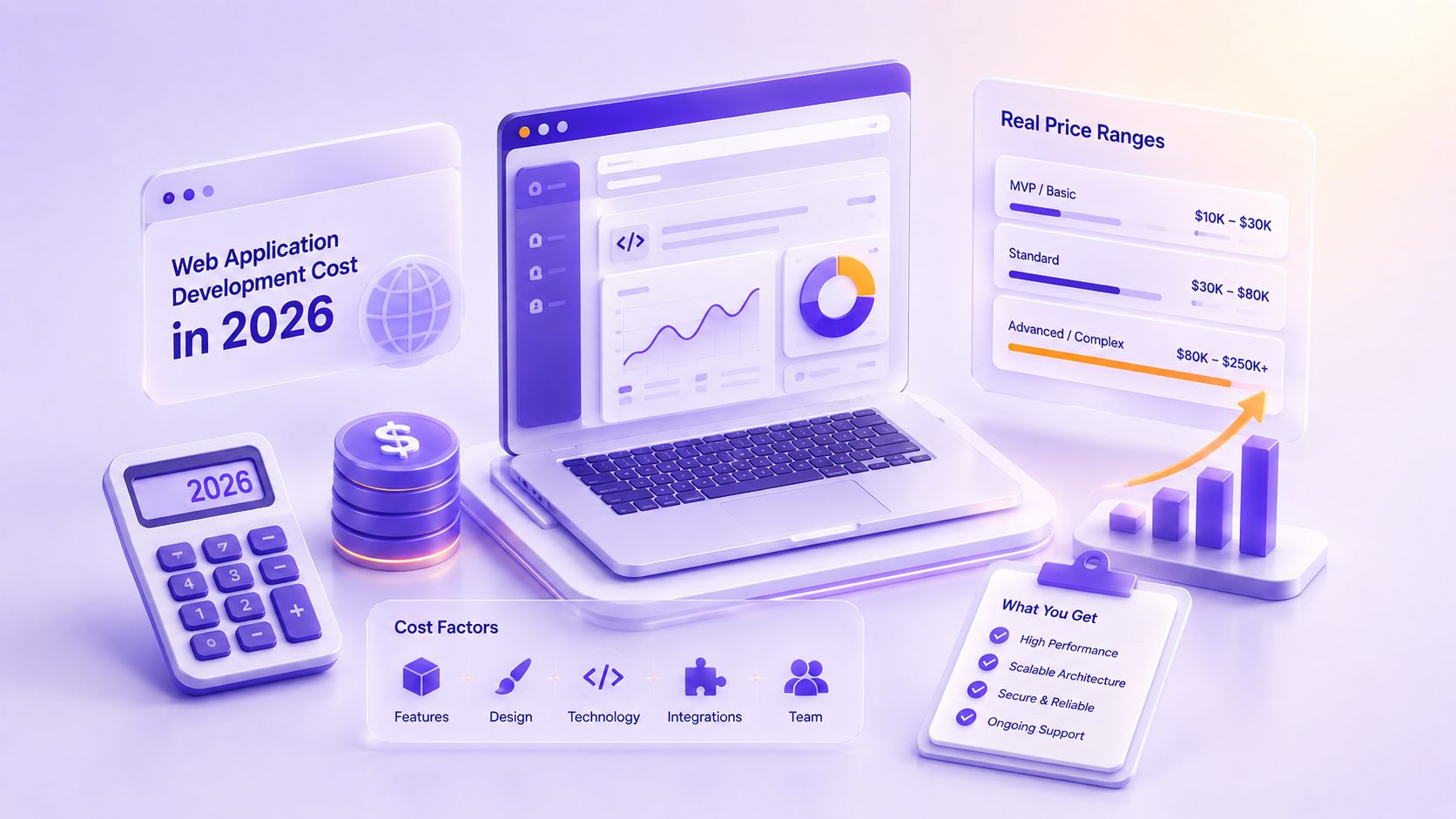
Web App Development Cost at a Glance (2026 Tiers)
Nearly all web applications are placed into one of four cost brackets. The bracketing’s listed below are based on fully custom development assuming a budget at 2026 development pricing rates (that is, a full agency team comprised of designers, engineers, and testers - not one talented individual doing so on evenings).
| Tier | Typical Cost (2026) | What You Get | Rough Timeline |
| Internal tool / simple MVP | $15,000 to $50,000 | One or two core features, a single user role, templated UI, minimal integrations | 6 to 12 weeks |
| Mid-complexity business app | $50,000 to $150,000 | Multiple user roles, custom workflows, several third-party integrations, custom UX | 3 to 6 months |
| Complex / data-heavy platform | $150,000 to $300,000 | Real-time features, advanced permissions, multiple integrations, dashboards and reporting | 6 to 9 months |
| Enterprise-grade application | $300,000+ | Compliance requirements, high-scale architecture, deep system integrations, dedicated security work | 9 to 18 months |
Here’s a better way to read that table - the jump in tier really isn’t about “screens” - it's about the invisible plumbing such as the logic that controls permission access, data modeling, security rules, and how many outside integrations need to stay in sync - that’s what slowly converts that $40,000 project into a $140,000 project that the next section explores in more detail.
What Actually Drives the Cost of a Web Application?
It's also very important to note that two apps that look fairly identical may cost up to five times more than one another, simply because it all has much more to do with its internal structure than page count, and it can often be broken down into five pieces.
Scope and feature complexity
Scope is also the biggest variable and largest single multiplier when thinking about engineering cost. Displaying data in a read-only, low-churn dashboard is extremely inexpensive. An application that allows users to create, edit, approve, and then take action on that data; a process in which each action spins off further automated logic is going to be incredibly expensive. File manipulation, complex search, payments processing, notification frameworks, multi-user collaboration, and reporting systems are just a few feature buckets that add massive amounts of engineering capacity; always assume a feature that modifies, creates, or moves data will cost 3x or more than an application that only consumes it.
Number of user roles and integrations
An application where the only kind of user is, well, user, is simple. One application with admins, managers, normal users, guests (read-only) and everybody having to be presented with different data and have different privileges quadruples the amount of logic and testing you need to do. Integrations add to this exponentially. Each external system you plug into – payment processing, CRM, ERP, shipping provider, etc. – adds development time, ongoing maintenance, and another failure point to deal with gracefully. An application with six integrations is not double a build with three integrations, but instead, probably many times larger as the systems will interact with each other.
Design depth (templated vs custom UX)
On the low end of the design cost are using an existing component library or a lightly-skinned template. These designs are cost effective and allow you to reach launch faster. This makes sense in a variety of different internal tools. Custom user experience designing your workflows from the ground up with unique UI and prototyping will carry an even higher cost. While a customer facing application often sees ROI from this because the UI is inherent value-for a dozen employees at internal software this is seldom the case.
Compliance and security requirements
If your application handles sensitive health records, financial information, or other personal information in a highly-scalable and efficient manner, than this compliance is a necessity, not an add-on feature- and it can be quite expensive to implement. Applications looking for HIPAA, PCI DSS, SOC 2, or GDPR compliance must factor in significant overhead for architecture documentation, design specifications, independent testing and often external audits. Moreover, security work such as data encryption, data access management protocols, regular penetration tests and more all play a role in this overall, as well. And it goes some way in explaining why enterprise software generally reside on its own shelf of the product stack.
Team location and engagement model
Whether your developer is an independent contractor or an app development company, and where they’re located, significantly impacts this total. Developer rates vary considerably by region, and the demand causing that difference is not going anywhere. According to the U.S. Bureau of Labor Statistics, software development is set to grow 15% between 2024 and 2034, which is quicker than most jobs, continuing the demand for expert workers, and holding rates steady. Aside from location, your engagement model can significantly influence costs-a time-and-materials contract, a flat fee contract, or a dedicated team all split risk differently, an issue we explore later in this guide.
Cost Breakdown by Development Phase
Total is good to know. Where is it going is how you can wisely make compromises between different functions. A "standard" build for a custom web app goes through five steps and each step costs about the same proportion of the total project.
Discovery and planning
Approximately 10 to 15% of the total budget. This phase sets the requirements, outlines workflows, determines technology approach, and firms up the scope. It’s easy to skip this phase and cut a corner to ‘get building’, but discovery is the cheapest place that you will ever discover a painful misunderstanding. Planning just 1 week of development typically prevents 1 month of wasted effort, often the cost of doing so is paid with time if it’s missed out.
UI/UX design
15-20% roughly, a little more for an individualization design, a little less from template. During the design stage, your requirements are translating into the first of several views - wire-framing, interactivity prototypes (which will look, interact and function as your app would) to a fully composed visual interface design. It’s immeasurably cheaper to design and build a good, workable user face that it is to redesign it later once you have had screens developed, the design stage is best completely separate, prior to any code having written, the development phase.
Development (frontend + backend)
The Biggest Piece of the pie Generally, this is 40–50% of the overall Pie. This includes the part users see (the frontend), as well as all the server-side logic, data and integrations (the backend). Because back-end work isn’t visible in a demonstration and you can “demo” a pretty frontend without much underlying technology, this part is often under-appreciated. However, backend work, where all the real complexity exists (database schema design, business logic, security, integrations into every single external system), is often responsible for why custom projects can be expensive.
QA and testing
So, you would be looking at what 15-20 percent at rough estimate? So, the first thing you have got to remember with QA is that it’s not some checkbox that gets checked and your development is done at the end what it is, you know, if everything that your building makes sense so make sure that all of your features work so every function button works, then all of your rules and permissions come through and all the correct roles see the correct data is there no integration problems? Does the application hold out and performance when under pressure so one thing I would really recommend is what will you get in terms of cost saving in terms of testing would lead up really quite severely with costs if they catch bugs to the end user. If people find bugs for you, that they get it after release then that actually ends up costing us much a lot more in terms of, not only for how long your engineers going to be to take to go and resolve, but your brand.
Deployment and launch
Somewhere in the neighborhood of 5-10 percent. The work involved here ranges from setting up the production environment, establishing hosting and infrastructure, last minute security checks to the actual push. It’s the smaller bite, though it’s not zero. Ignoring planning this step guarantees the day of launch turns in to a panicked mess.
Where a Real Project Lands: The JEJMO Build
The Hidden Costs Nobody Budgets For
It's the build cost, though, that everyone is looking at. They don't often consider the costs that lie beyond it and that's where that seemingly cheap project turns into a liability in one year's time.
Maintenance and updates (15 to 20% per year)
A web app is not a pay-once system, it’s a living system. Plan to set aside 15 to 20% of the first build cost in maintenance per year. This pays for all of the little bug-fixes, security updates, dependency updates, new OS/browser version compatibility fixes and small feature upgrades. Skimping on maintenance doesn’t eliminate cost; it shifts it down the road in a big “you have to re-do all of this” pile when a nasty bug fix/security exploit/integration breakdown occurs.
Cloud hosting and third-party APIs
Hosting and infrastructure are monthly expenses that are difficult to control and increase with usage. As Flexera showed, 84% of all organizations have difficulty keeping control over cloud spending, which you can imagine is even more the case for advanced organizations. In addition to hosting expenses, most third-party API services (payment gateways, mapping services, mail services, models, etc.) charge for each usage- your monthly bill increases as the application grows. That's not a build expense but rather an operational one and should be put in the budget from day one.
Post-launch iterations
Version you launch is just version 1 – not finished. You will learn what it needs from paying users-needs you’ve not dreamed of – and adapting this feedback with fixes and improvements, is proof of the job doing well not a project that derailed. Smart teams invest a post-launch budget to iterating on the application, instead of seeing that last minute release as done… as the great ones remain to be improved after launch.
Agency vs Freelancer vs In-House: Cost Comparison
“So now we’ve got our product,” he continues. “Now the question becomes, who are we going to build this thing with?” The answer is really dependent on the three different ways you can take-these all have really different cost structures, different risk factors, and have different trade-offs.
| Option | Typical Cost Profile | Best For | The Trade-Off |
| Freelancer | Lowest upfront; hourly or per-project | Small, well-defined builds and MVPs | Limited capacity, single point of failure, variable quality and availability |
| In-house team | Highest fixed cost (salaries, benefits, overhead) | Companies where software is the core product and needs constant work | Expensive and slow to staff; hard to justify unless the workload is continuous |
| Development agency | Mid-to-high project cost; a full team included | Most custom builds needing design, engineering, and QA together | Higher than a freelancer, but with team depth, process, and accountability |
The truthful lowdown: a freelancer is cheapest sticker price and can be the right option for small, fixed scopes but capacity and ongoing relationship are the obvious and true risks. An internal team is appropriate when software really is your product, where it is always "on" and cannot justify anything other than high fixed costs. The agency is in the middle price-wise with a full team to boot and a defined process to boot, making them the default assumption for serious custom builds; choose based on size of your project and ongoing need and tolerable risk.
How to Keep Your Web App Budget Under Control
Few things blow a budget in one large, shocking moment - almost every overrun is actually made of numerous tiny ones we can avoid. Luckily, these five practices generally prevent projects from running away from us. We define scope up front and fiercely guard against scope creep, which is in most cases our number one budget killer. Build a real MVP, launch, iterate – we’ve dug into this idea far too deeply for one post, but the core idea is simply avoid feature churn for the sake of shipping every darn feature the moment we ship our app. Understand value and design for the end user during the costly discover phase - a much smaller investment that save on truly costly errors later. And pick a purchasing arrangement that reflects your confidence with design: fixed-price contracts work if scope needs a tight definition and t&m contracts allow us scope to flex and expand. Budget for it all, from upfront build cost all the way through to maintenance. Web application is a market projected to continue to grow, is worth about $88 billion world over in 2026 – get the biggest bang out of dollars your app is going to deliver by considering total cost of ownership.
Final Thoughts
A custom web app in 2026 represents serious investment – costs range from roughly $15,000 for a basic internal application to upwards of $300,000 or more for enterprise software. Ultimately, the price tag isn’t as important as the reasons it has one. Your scope of work, user assignments, integrations, design complexity, compliance factors all go into the price. The total ownership price is defined by recurring hosting, maintenance and refinement costs. You do yourself and your business a favor by clarifying the scope, budgeting for the complete lifecycle and working with builders who can explain their costs, not simply quote them. If you are weighing a web application build and want a realistic range for your specific project, our team is happy to talk through scope and give you an honest number rather than a placeholder one.
Frequently Asked Questions
Related Blog

Healthcare Software Development: What Compliance Actually Requires
A founder says, "We just need to make it HIPAA compliant", as if compliance were a plugin you install before launch. Then the first…
The Software Development RFP Template That Gets Useful Proposals (Free Download)
A good software development RFP contains nine things: company and project background, a problem statement separated from any assumed solution, clear scope boundaries, real…
0 Comments
Please log in to post a comment